Template
Lagoon - a teal link in bio template
Lagoon is a deep teal dark-mode template with layered blue-green backgrounds, white headline text, and a bright aqua secondary label - tropical depth with a modern, slightly technical edge.
The palette
Colors in this template
Background
Cards
Accent
Borders
Text
Subtext
Muted
Why Linky
Why creators choose Linky
- Custom domains
- Connect your own domain on a paid plan to make your page feel truly yours.
- Beautiful themes
- Make it yours with custom colours, fonts, and a palette that matches your brand.
- Rich blocks
- Music, video, social feeds, and more - not just links. Your page stays fresh automatically.
- Analytics
- See views and clicks on your blocks and links with built-in analytics on Premium.
- Fast & simple
- Build your page in minutes with a drag-and-drop editor. No coding required.
- Verified pages
- Get a verified badge on your page to show your audience that it is the real you.
01
Between blue and green
Teal occupies the territory where blue’s trust meets green’s freshness, and Lagoon makes the most of it. The page base sits at hue 185 - a true teal - at a deep 15 % lightness with 55 % saturation, while link cards sink to 10 % lightness for genuine depth. A muted teal border at 25 % lightness defines each card. The effect is somewhere between a tropical reef at depth and a modern fintech dashboard - in the best way.
Your theme, your colours

A real Linky page
02
What's in the Lagoon palette
Seven colour roles: two layers of deep teal (base and primary card), a light-grey secondary surface for avatar placeholders, a desaturated teal border, a pure-white primary label, a bright aqua secondary label (hue 175, 75 % lightness) that glows softly against the dark water tones, and a near-white tertiary label. The aqua secondary text is what gives Lagoon its bioluminescent character.
03
Who Lagoon is best for
Lagoon suits creators in the space between nature and technology: scuba and freediving instructors, marine conservationists, aquarium hobbyists, pool and spa businesses - but equally developers, designers, and fintech founders who want a dark theme that is not just another navy. Teal is distinctive enough to be memorable while staying professional enough for business use.

Playing Now
ten
Fred again
Live blocks that refresh automatically
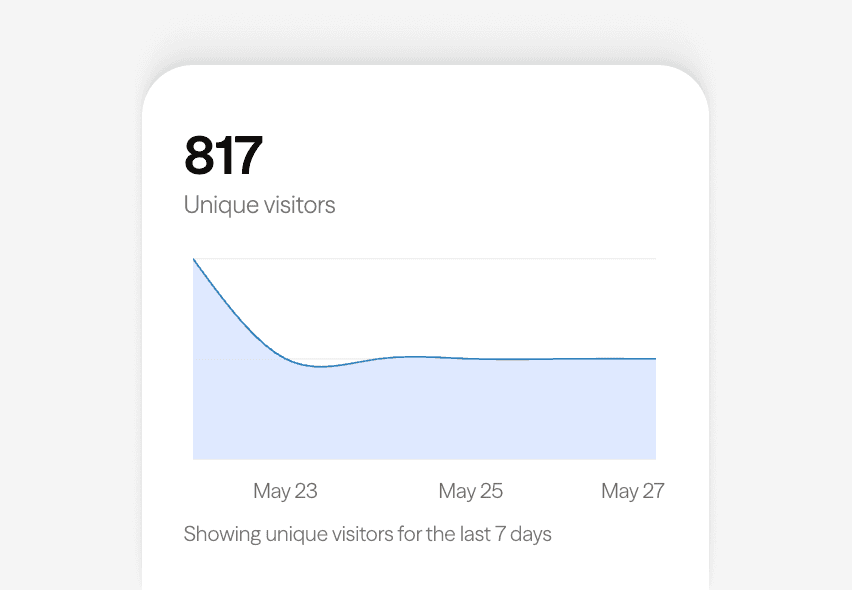
Built-in analytics on every page
04
Adjusting Lagoon in the editor
Load Lagoon in the Linky editor and slide along the blue-green spectrum to taste. Shifting the hue towards 170 makes the page greener and more tropical; towards 200 cools it into a steely blue. Raising the base lightness a few points lifts the mood towards daylight shallows, while pushing the aqua secondary label brighter increases the bioluminescent contrast. All seven roles adjust independently.
Gallery
More templates
Classic
Violet
Midnight
Forest
Lilac
Orange Punch
Ocean
Blush
Sandstone
Slate
Neon
Mocha
Sunbeam
Cherry
Sage
Sky
Mulberry
Peach
Graphite
Vapor
Paper
Frequently asked questions
Everything you need to know to get started.
Free forever
Your page is one username away
Claim your link in bio and have it live in minutes - free, no credit card.
No credit card · Connect a custom domain anytime · Cancel whenever