Blog4 min read
Link-in-bio pages for event planners: showcase, book and impress
How event planners can use an Instagram bio link to show past work, capture leads and take bookings.

Hana
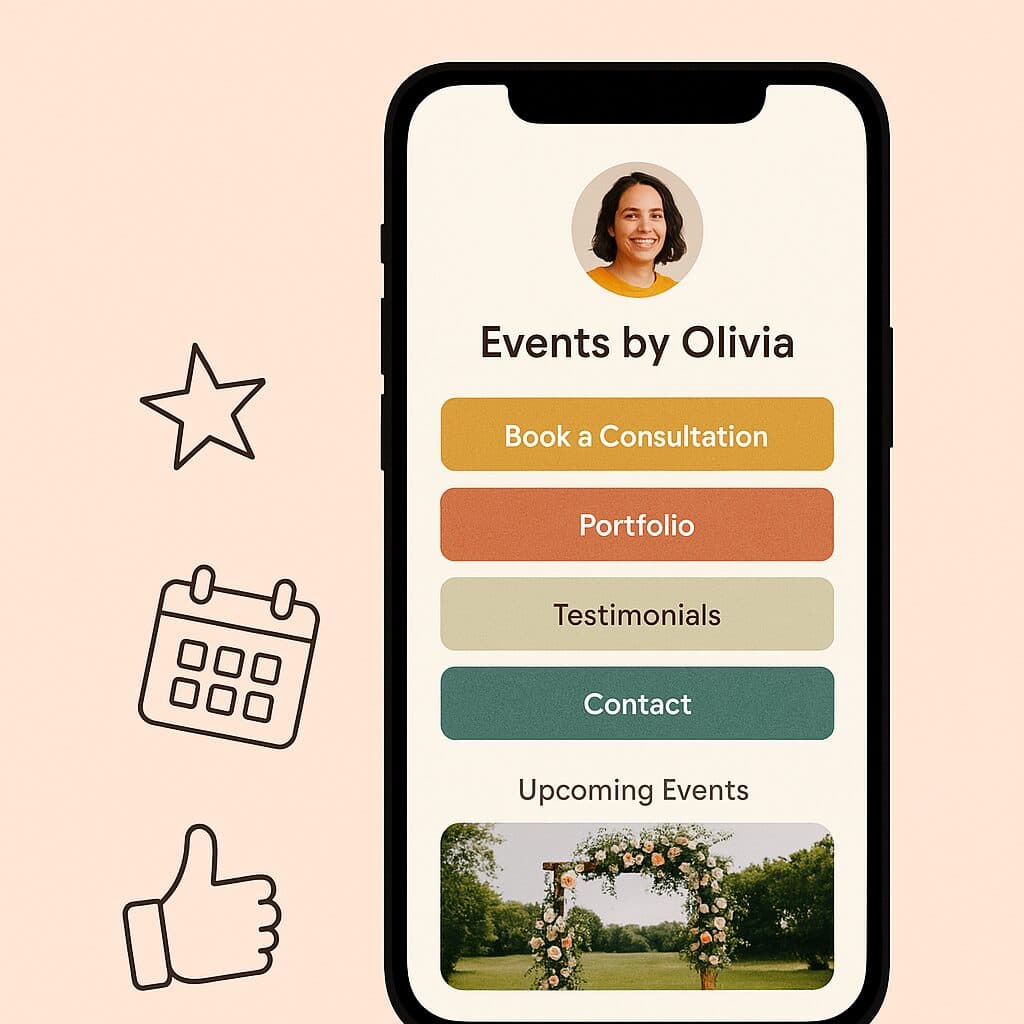
Event planning is part logistics, part psychology and part visual storytelling. You spend your days coordinating vendors, answering client texts at 11:45 PM, and putting together color palettes that say elegance (or, for some clients, neon rave). So why does your Instagram bio link still just point to your homepage?
People judge you by that link. It's often the first impression you make online. Whether you plan weddings in Florence or run high-end corporate galas in London, your link-in-bio page should show what you do, turn visitors into bookings, and reflect the atmosphere you work so hard to create.
First impressions aren't just visual
Most event planners share their work on Instagram, TikTok, Threads and Pinterest, because that's where people discover them. But those platforms only give you one link in your bio, and in 2025 a static website or a basic Linktree-style list of links doesn't do enough.
You need a link-in-bio page that works like a lightweight website: good-looking, flexible and easy to update. It should work across platforms, show off your work, and let people book you quickly.
That's what Linky is for.
Make it feel like you
Branding covers more than your logo. It's your voice, mood, tone and a consistent look, and your link page should carry all of that too.
With Linky, you can style your page to match your brand: bold serif fonts for high-drama weddings, pastel palettes for soft lifestyle shoots, or clean minimal layouts for corporate event managers. Your brand gets a small home online that's clearly yours.
Need inspiration?
What should you include?
The essentials for an event planner's page:
- Booking links. Connect Calendly, Acuity or TidyCal so people can book a consultation without emailing back and forth.
- Portfolio highlights. Add a gallery of images, a featured video reel or a carousel of your best-known events.
- Client reviews. A single line from a happy client ("They saved my wedding!") can do more than a whole page of copy.
- Your services. Keep it simple: package names, what's included and starting prices.
- Contact buttons that go straight to WhatsApp, Messenger, email or SMS.
- Payment links through PayPal.me, Stripe Payment Links or Square.
Booking funnels, right in your bio
You don't need a CRM funnel or a custom-built site to capture leads. You need:
- A clear CTA ("Book a free consult")
- A scheduling link
- A short form that collects useful info
Put that flow on your link page and you can turn Instagram followers into booked clients without them leaving the app.
Pro Tip: Add a short client intake form through Typeform or Tally. It pre-qualifies leads and saves you a lot of time.
Keep it updated
Clicking someone's bio link and finding a New Year promo in July looks sloppy. Your link should change with the seasons and with your bookings.
- Launching a Spring package? Feature it.
- Just posted a great wedding reel? Add it.
- Booked out through August? Say so.
Keeping it fresh doesn't have to take hours. With Linky, it takes minutes.
Quick wins for different kinds of planners
Every event planner is different, and your link in bio should reflect your niche. Some ideas:
Wedding Planners
- A gallery block of past weddings
- A countdown to peak season
- A link to a downloadable wedding planning checklist
Corporate Planners
- A list of past clients (logos work well)
- A carousel of team-building events or brand launches
- A book-a-call button above the fold
Party Stylists / Influencer Events
- A TikTok embed of a recent party reveal
- A linked Spotify playlist to set the mood
- An Instagram carousel of styled shoots
Venue Managers
- A 360° tour video
- Event layout PDFs
- An inquiry form for dates
Why Linky?
Linky is made for creatives who want something polished without the technical headaches. It gives you:
- Good-looking pre-built templates you can customize in minutes
- Smart blocks for booking widgets, carousels, testimonials and payment buttons
- Fast mobile performance
- Analytics that show what people actually click
You're not a developer, and you don't need to be. Linky handles the design side so you can focus on the events.
Your bio link is a sales tool
Don't treat your link in bio as an afterthought. It's where clients start working with you, it's your visual pitch deck, and it keeps selling for you while you're elbow-deep in floral foam or wrangling a DJ.
Build it with care, keep it focused, and make sure it reflects the events you create.
Try Linky for free and build your bio page in under 10 minutes.
Want help setting up your first link page? DM us on Instagram @trylinky or check out the Linky Blog for tutorials, inspiration and tips.