Blog19 min read
The creator's experimentation playbook: A/B testing your Linky bio link in 2025
How to run A/B tests on a bio link page and read the results without ecommerce levels of traffic.

Hana
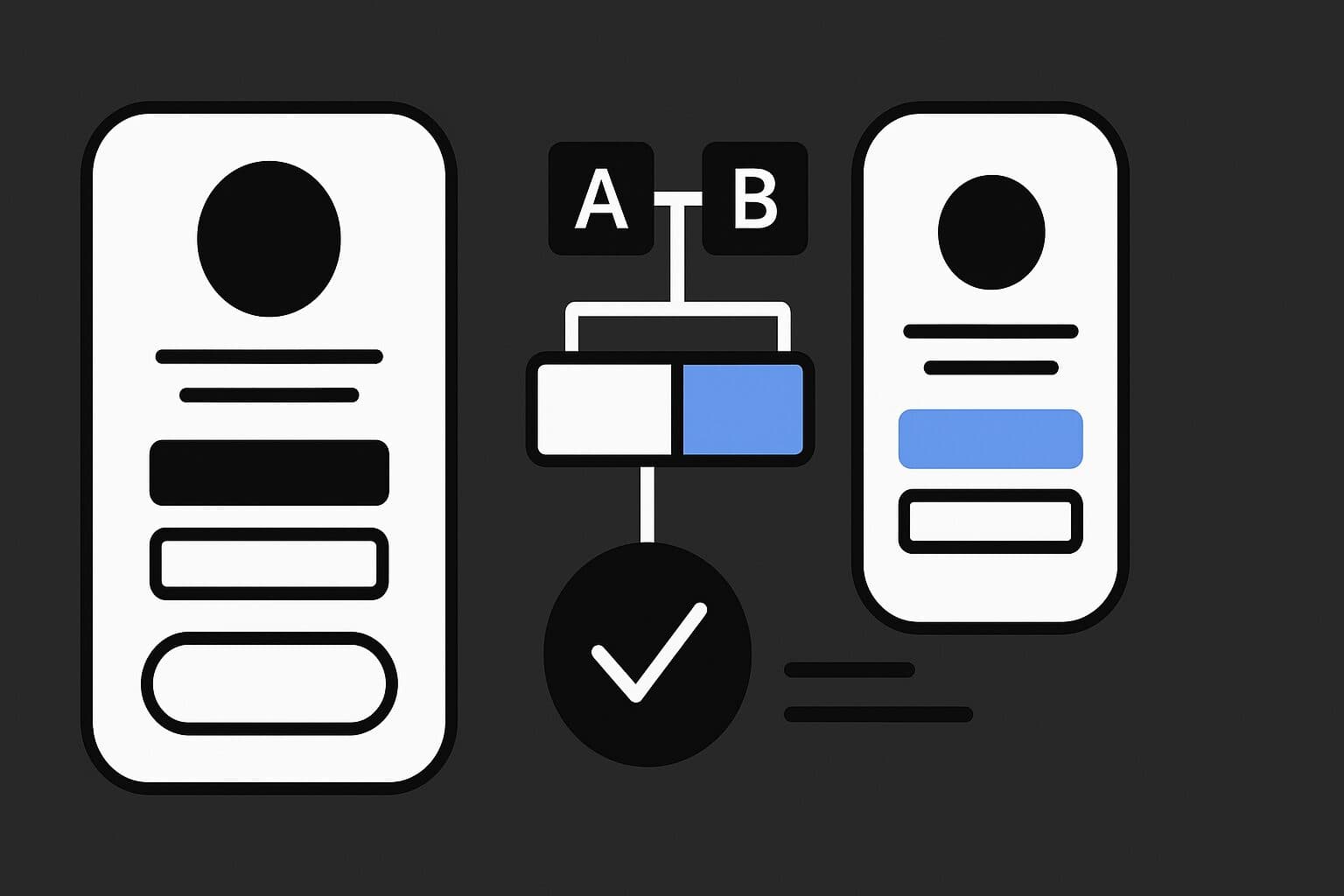
You tap your own bio link, look at the numbers, and something feels off.
A layout does well one week and badly the next. Clicks jump around. Instagram and TikTok analytics disagree with your link tool. You tweak buttons and headlines and still can't tell what caused the change.
That isn't in your head. In 2025, the usual A/B testing advice stopped working for creators.
You don't need ecommerce traffic to run real experiments, though. A Linky bio link with 200 visits a week can produce high-confidence winners if you use the right math, the right setup and a few constraints.
This playbook covers how to run experiments on your Linky bio link with low traffic, awkward in-app browsers and strict privacy rules.
1. Why 2025 broke the old A/B testing playbook for creators
For years, creators copied what big brands did: add Google Optimize, split some traffic, wait for a p-value under 0.05, and declare a winner.
That doesn't work any more for bio links, for three reasons.
1. Low traffic is the norm
Most creators don't get tens of thousands of visitors a week to a link-in-bio page. You might see:
- 200 to 500 visits per week
- Spikes when a Reel takes off
- Long quiet stretches
Traditional A/B tools were built for big samples and tiny effect sizes, like detecting a 2 percent lift in conversion. At 200 visits a week, a 2 percent lift stays buried in noise for months. So you either wait forever or you act early on random swings.
2. In-app browsers corrupt measurement
When someone taps your Linky link inside Instagram or TikTok, they land in the app's own in-app browser, not Safari or Chrome.
Research has shown that some in-app browsers inject their own JavaScript and track user behavior inside those webviews, including keystrokes. Mobile browsers like Safari also use features such as Intelligent Tracking Prevention to partition or wipe cookies and local storage after short periods.
That causes problems for experiments:
- Cookies vanish or reset, so users bounce between variants
- Client-side scripts load late or get blocked
- Attribution parameters get stripped or changed
You might conclude variant B is worse when half of B's traffic simply dropped out of tracking.
3. Privacy rules changed what data you get
Third-party cookies are effectively gone on most traffic, with Chromium-based browsers and Safari both clamping down hard.
Regulators in Europe have handed out more than €4B in GDPR fines so far. Platforms have responded by tightening tracking and removing many of the ways marketers used to follow users.
On iOS, mail privacy and link tracking protection remove parameters like fbclid and some utm values, which breaks a lot of older attribution setups.
Why your experiments don't add up
Traditional A/B tools tend to assume:
- Stable cookies or local storage for bucketing
- Large, smooth samples
- Nothing stripping parameters in the middle of a flow
On modern mobile traffic, especially from social apps, none of that holds:
- Safari ITP partitions client storage and wipes cookies within a few days
- In-app browsers change how scripts and cookies work
- Parameter stripping on iOS removes click IDs and tracking tags
For a creator, that shows up as "winning" variants that flip the next week, reports that never match between your bio tool and your ad platform, and design decisions based on noise and bias.
Where Linky stands
At Linky, we think of experimentation as a core way to grow. Your bio link is a small product page, and it deserves real testing.
The rest of this guide shows how to build an experimentation setup around Linky that accounts for low traffic, in-app webviews and privacy-focused browsers. The payoff is fewer fake winners and more improvements you can trust.
2. Statistics that work at 200 visits a week
The fix for low traffic isn't "get 10x more followers". The problem is that traditional stats need huge samples to detect tiny changes. You need math that works at small scale and tests designed to find big swings.
Rethink the goal of your test
Ecommerce teams hunt for tiny gains, because a 2 percent lift on millions of visits is worth a lot of money. A better goal for you:
- Aim to detect 20 to 30 percent relative lifts
- Focus on the primary action on your Linky page
- Treat tests as directional decisions rather than fine tuning
If 10 percent of visitors currently click through to your main offer, a useful test asks whether a new layout can get that to 12 or 13 percent or higher.
Use Bayesian beta-binomial models instead of p-values
For link clicks the outcome is binary: the visitor clicked the primary link or didn't. Bayesian beta-binomial models suit this well.
You put in the number of visitors and conversions for each variant. You get back the probability that variant B is better than A, plus credible intervals around each conversion rate.
So the result reads like "Variant B has a 96 percent probability of beating A", which is much easier to act on than "p = 0.047". Tools like VWO SmartStats and several open source libraries use this kind of model under the hood.
For a Linky bio link, Bayesian approaches tend to be more stable with small samples and easier to interpret.
Use sequential testing instead of fixed sample sizes
The old advice was to pick a sample size before the test and not look until you reach it. Nobody actually does that. People peek, and peeking at fixed-sample p-values sends your false positive rate through the roof.
Sequential testing lets you check along the way without corrupting your error rates. Research suggests sequential methods shorten tests by roughly 20 to 50 percent compared with fixed sample designs. At 200 visits a week, that can mean a 2 week test instead of a 4 week one, and learning something this month instead of next quarter.
You still need clear stopping rules. For example:
- Stop early if P(B > A) ≥ 95 percent and at least 7 days have passed
- Stop as inconclusive after 21 days regardless of result
Use bandits for ongoing optimization
Multi-armed bandits are another Bayesian approach. A simple method like Thompson Sampling sends more traffic to the better-performing variants while keeping some traffic on the underdogs so it keeps learning.
That suits evergreen situations. A good pattern:
- Use structured A/B experiments for big directional calls, such as whether to move to a single CTA layout
- Use Thompson Sampling to rotate headlines, offers or hero blocks on a layout you already trust
Because bandits optimize while they learn, you don't send half your traffic to a weak idea for weeks.
A rule of thumb for Linky users
- Target big moves (20 to 30 percent lifts), not 2 percent tweaks
- Use the Bayesian probability of B beating A with a clear threshold, for example 95 percent
- Stick to two variants, A and B, rather than A/B/C/D, so your limited traffic isn't spread too thin
You'll run fewer tests, but each one will tell you something.
3. Tooling and platforms that support bio link testing
Your stack decides what's possible. Most link-in-bio tools focus on design themes rather than experimentation, and they fall short once you want to run a serious test.
To run solid experiments on a Linky page you need at least:
- Custom domain support
- Control of redirects at the server or edge
- Clean analytics and control over scripts
The current tooling landscape
These creator-friendly options pair well with Linky.
GrowthBook (https://www.growthbook.io/) is an open source experiment platform with a strong Bayesian engine. It supports feature flags and edge evaluation and has a generous free tier, but you'll need some developer help to set it up.
Replug (https://replug.io/) is a link shortener and bio link tool with built-in A/B testing. It splits traffic across up to 10 destination URLs, so it works well for URL-level experiments such as comparing two different Linky pages. It's a good fit for no-code creators.
Enterprise experimentation tools (VWO, Optimizely, etc.) have deep features and support, but they're priced for bigger SaaS or ecommerce teams and are often overkill for creators in the 10k to 1M follower band.
Standard bio link platforms like Linktree, Beacons and Bio.link are popular, but many of them don't give you server-side redirects, strong custom domain support or full control over analytics scripts. They're fine for a static page and struggle with robust experiments when cookies are unreliable and most traffic comes through webviews.
Where Linky fits
Linky treats experimentation as a core use case. We focus on:
- Custom domains from the start
- Analytics integrations with tools like Plausible, Fathom, GA4 and PostHog
- Clean link routing that works with external experiment engines
For most creators, Linky plus a redirect-based experiment layer is more practical than testing inside a rigid builder.
Example stacks
Creator with no developer support
- Stack: Linky + Replug
- Flow:
- Set up two Linky bio pages, A and B
- Point your Instagram and TikTok bios at a Replug test URL
- Replug splits traffic between A and B
- Use Replug reports for high-level CTR, and Linky analytics for deeper link data
Creator with light developer help
- Stack: Linky on a custom domain + Cloudflare Worker + GrowthBook
- Flow:
- Point
yourname.bioto a Worker - The Worker calls the GrowthBook SDK to assign a variant
- The Worker redirects to Linky layout A or B, or to two different funnels
- Events go to a privacy-friendly analytics tool like Plausible or Fathom
- Point
Creator-led brand with real dev resources
- Stack: Linky + custom Next.js app + PostHog or similar
- Flow:
- Linky is the front door from social profiles
- Clicks on key offers lead into a Next.js landing system with built-in server-side experimentation
- Experiments, event streams and cohorts live in PostHog
In all three, Linky stays at the center of your creator presence. What changes is how advanced the experiment engine behind it is.
4. Engineering around Instagram and TikTok webviews and the cookieless world
Your experiments don't run in a clean lab. Most of your traffic comes through Instagram and TikTok webviews and then through privacy-focused browsers, so you need some defensive engineering.
The webview problem in plain language
Instagram, TikTok, Facebook and others open links in in-app browsers. That means the app vendor controls the browser, extra JavaScript runs on the page, and storage and navigation behave differently from a normal browser.
Research suggests some of these webviews log all taps and keystrokes for their own analytics. Mobile Safari and Firefox use tracking protection that can partition cookies per site and expire them aggressively. On iOS, link tracking protection also strips query parameters that look like tracking IDs.
For experiments, you can't trust webview cookies or standard front end tracking.
Core principle: move logic server side
- Don't rely on webview cookies or localStorage to bucket users
- Assign experiment variants on the server or at the edge
- Log experiment exposure and conversions in a first party system
That keeps buckets stable even when the browser changes its mind about cookies.
Pattern 1: Detect webviews and offer "Open in browser"
You can't fully fix webviews, but you can soften the impact. Use user agent checks and some simple JavaScript to detect Instagram, TikTok or Facebook in-app browsers, then show a narrow banner at the top of your Linky page, such as:
- "Want a smoother experience and more secure checkout? Tap here to open in your browser."
Link it to the same URL in the default browser. This helps most when your funnel includes checkout pages, booking flows or long forms. Your analytics get cleaner and users feel less stuck.
Pattern 2: Server-side redirect router for experiments
This is the backbone of privacy-safe testing. When someone taps your Linky bio link:
- The request hits an edge function or Worker attached to your custom domain.
- The Worker hashes the IP, user agent and a daily salt to create a temporary, privacy-respecting ID.
- The Worker uses that ID to assign a variant, A or B.
- The Worker logs "user X was sent to variant B of experiment Y" to your analytics backend.
- The Worker redirects to the right Linky page, for example
yourname.lin.ky/?exp_variant=B.
This avoids cookies, keeps assignment stable for the same person for a limited period, and holds up inside in-app browsers.
Pattern 3: Preserve UTM and experiment parameters
Several iOS features strip query parameters on secondary navigations, and some in-app browsers mangle URLs too. So:
- Capture UTM parameters and experiment IDs on the first hit to your domain
- Store them server side for a short period
- Reattach them on internal redirects and clickthroughs when you link deeper into funnels
Then test it. A simple QA checklist:
- Instagram iOS, Instagram Android
- TikTok iOS, TikTok Android
- Facebook iOS, Facebook Android
For each one, confirm that UTM parameters and experiment variant tags like exp_variant=A survive the whole path from bio click to Linky page to final conversion page.
An analytics stack for the privacy era
As third party cookies fade, first party analytics tools are becoming the default. Worth a look:
- Plausible (https://plausible.io/)
- Fathom (https://usefathom.com/)
- PostHog (https://posthog.com/)
- Self-hosted Matomo (https://matomo.org/)
For experimentation, they're consent-friendly and lightweight, have strong server-side support, and hold up better against ad blockers and tracking protection.
Some vendors report measurement accuracy improvements of around 20 to 30 percent after moving from client-only tracking to a hybrid or server-side setup.
New browser APIs like Chrome's Attribution Reporting API promise privacy-preserving attribution without cross-site cookies. They're still early, but keep your Linky setup flexible enough to plug them in when they mature.
5. Designing high-impact experiments for low-traffic Linky bio links
Low traffic doesn't rule out experiments. It rules out micro tweaks. You need changes bold enough to move the needle.
Test bold changes, not tiny ones
Button color tests are frustrating at 200 visits a week. The realistic effect is small, the noise is large, and you spend months detecting a minor difference.
Research on landing page optimization often finds much larger wins when teams change the structure and the offer. Examples from public case studies:
- Layout improvements driving 25 to 40 percent higher conversion rates
- Dynamic text replacement on headlines leading to about 31 percent more signups
- More vivid hero imagery lifting signups by around 6 percent
That's the scale of change you want on your Linky page.
What to test first on a Linky page
This order works well.
- Primary offer and promise
Start with the core question: what's the main thing you want a visitor to do? For example:
- "Free preset pack" as the main CTA versus a "One time paid product" CTA
- "Join the weekly newsletter" versus "Get my free 5 day challenge"
Landing page research shows that big shifts in the value proposition can change response rates by 20 to 30 percent or more. On your Linky page, that means two versions:
- A page that leads with a free lead magnet and puts store links lower
- A page that leads with a hero product and pushes everything toward purchase
- Above-the-fold layout and link order
Link overload is common. With 8 or more links visible, visitors hesitate. Try:
- Cutting down to 3 high-intent options
- Reordering links so your money link comes first and gets stronger styling
Plenty of UX and CRO case studies show layout changes alone lifting conversions by around 30 percent.
- Hero creative
Your hero image or video and headline carry a lot of weight. A HubSpot test saw roughly a 6 percent improvement in signups after switching to more vivid, on-brand hero visuals. Ideas to test:
- Static image versus short looping video
- Face-forward photo versus product-only shot
- Social proof headline versus curiosity headline
- Contextual entry points
One Linky page for everything is simple, but it isn't always effective. You can build separate pages for your content pillars instead, such as:
- A "Podcast" Linky page with subscribe links, show notes and one promoted resource
- A "Drop" Linky page for a single product drop, with social proof and urgency
Personalized or contextual entry points have driven lifts of over 30 percent in several landing page tests. You route people to the different Linky pages through different bios on each social profile, or different links in Stories and link stickers.
Use a simple hypothesis template
Write the hypothesis down before you build anything. It forces you to be clear. A template:
- Because we observe: "Only 5 percent of Linky visitors tap my Shop link. Most taps go to generic socials."
- We believe that: "Creating a dedicated Drop bio link page with a single hero product and clear social proof will focus attention."
- Will result in: "At least a 25 percent lift in clickthrough to the store."
- We will measure this by: "CTR on the store link as a percentage of Linky pageviews over 14 days."
Variant counts and timeframes
- Stick to A/B. Avoid 3 or more variants unless you get hundreds of thousands of visits per month.
- Run variants at the same time. If you run A this week and B next week, weekday, seasonal and algorithm changes will look like experiment effects.
- At 200 to 1,000 visits a week, expect each test to take 2 to 4 weeks if you're targeting 20 to 30 percent effects.
Being patient is better than being confidently wrong.
6. The creator experiment lifecycle: from idea to confident winner
You don't need a big experimentation team, just a simple loop you repeat.
Step 1: Prioritize and pre-register your experiment
Keep a running backlog of ideas and tag each one for impact, effort and risk (low, medium or high). Pick tests with high impact, low to medium effort and manageable risk.
Then write a one-pager for each experiment you pick, covering:
- The hypothesis, using the template above
- The primary metric, such as clicks on a specific Linky link as a percent of total page views
- Guardrail metrics, such as bounce rate, time on page and page load time
- A minimum run time, for example 14 days
- A decision rule, for example "Stop if B has over 95 percent probability of beating A after at least 7 days"
Committing to the rules up front makes it easier to resist chasing random spikes.
Step 2: Implement with server-side randomization
How you assign users to A or B matters. If you use an external engine like GrowthBook or Replug:
- Create two Linky destinations, A and B, or two downstream landing pages
- Randomize through redirects, using a Worker, short link or Replug test URL
- Avoid JS-only, cookie-only bucketing because of Safari ITP and webviews
If Linky adds native experimentation support, the goal stays the same: assign variants at the edge using privacy-safe IDs, log exposure server side, and keep your pages simple and focused on content.
Step 3: Run with Bayesian and sequential rules
Before launch, commit to:
- A target effect size, for example a 25 percent lift in primary CTR
- A confidence threshold, for example P(B > A) ≥ 95 percent
- A minimum and maximum duration, for example 7 to 21 days
For small creator tests, keep the sequential part simple: check no more than once a day, and only act on results after the minimum time window.
Step 4: Decide, roll out and document
Once the test meets your rules, make the call.
If there's a clear winner, route 100 percent of traffic to it. Keep a kill switch, like a feature flag or an easy toggle between two Linky pages, in case a secondary metric looks bad.
If the result is inconclusive, decide whether to extend by one more week or stop. With low traffic, it's often better to stop and try a bolder idea.
Either way, log the experiment. Your "Experiment Library" might include:
- Name and date
- Hypothesis
- Screenshots of variants
- Metrics and Bayesian results
- Decision and notes
Over time this becomes a playbook tailored to your own audience, niche and style.
Step 5: Turn experiments into a growth loop
"Version B won" matters less than what you learned from it. For example:
- If putting a hero product first beats multi-link lists, shift more content and ad spend to that hero product
- If a free resource beats a direct sale, lean into lead capture and sell later via email
- If your audience would rather book live workshops than buy evergreen courses, rebuild your Linky page and content calendar around that
Share your Experiment Library with your team. Social managers will know which offers deserve more Stories, paid media buyers will know which Linky versions to send traffic to, and partners and sponsors can see what audiences respond to on your page.
That way your Linky bio link keeps learning instead of sitting there as a static profile.
7. Implementation paths for Linky users by budget
Here are three realistic paths, depending on budget and how comfortable you are with the technical side.
Path 1: No code, under 20 dollars a month
Tools:
- Linky
- Replug
Workflow:
- Build two Linky pages, for example "Offer first" and "More links" layouts.
- Create a Replug campaign URL that splits traffic 50/50 between them.
- Set that Replug URL as your Instagram and TikTok bio link.
- Watch Replug reports for overall CTR and conversions.
- Use Linky analytics on each page for deeper link-level data.
This suits solo creators and social media managers who want better decisions without touching code.
Path 2: Low code, under 50 dollars a month
Tools:
- Linky on a custom domain such as
yourname.bio - A Cloudflare Worker or similar edge function
- GrowthBook free tier
- Plausible or Fathom for analytics
Workflow:
- Point your custom domain to a Worker.
- The Worker uses GrowthBook to assign variants.
- The Worker redirects users to different Linky layouts or downstream funnels.
- The Worker sends experiment exposure and conversion events to Plausible or Fathom.
This fits creator-led brands and indie ecommerce sellers with some engineering help.
Path 3: Full stack, 50 to 200 dollars a month and up
Tools:
- Linky as the social front door
- A custom Next.js or similar app for deeper funnels
- PostHog or similar for product analytics
Workflow:
- Use Linky for all profile bios.
- Send key clicks from Linky into a Next.js landing system with built-in experiments.
- Assign variants and track events in middleware, and log everything to PostHog.
- Use funnels, cohorts and retention views in PostHog to understand performance.
This path fits brands that treat content and Linky as a core part of how they grow.
Anti-patterns to avoid
Whichever path you take, watch out for these:
- Testing trivia like button colors instead of offers and layouts
- Checking numbers every few hours and stopping as soon as one bar looks bigger
- Assuming Instagram traffic behaves like normal Safari or Chrome
- Relying on cookies and localStorage alone for experiment buckets
- Running variant A one week and variant B the next instead of in parallel
- Treating your Linky page as a static business card instead of a page you can test
Each of these leads to fake winners and wasted months.
Bringing it all together for your Linky page
Creators can still experiment in 2025. The rules have just changed. With Bayesian and sequential testing suited to low traffic, server-side or edge experiment logic that survives webviews, first party analytics, and bold changes to design and offers, you can run high-confidence experiments on a Linky bio link that gets a few hundred visits a week.
The old ecommerce playbooks broke under small samples, in-app browsers and strict privacy enforcement. This approach accepts those constraints and works within them.
Keep testing your Linky page, and feed what you learn about your audience back into your content, products and collaborations.
If you want somewhere to start, set up two Linky pages today: one focused on a single clear offer, and one with your current multi-link layout. Run a simple A/B test with Bayesian rules and see what happens.
For more examples, templates and future experimentation features, keep an eye on the Linky blog at https://lin.ky/ and our product updates.